Core Concepts
This page digs into the underlying concepts of how Langfuse structures and captures your data. Understanding these will make debugging and working with traces easier.
Ready to start? Check out the Get Started guide to ingest your first trace.
Observations, Traces, and Sessions
Langfuse organizes an application’s data into three core concepts: observations, traces, and sessions.
Observations
Observations are the individual steps within a trace. Langfuse supports a number of LLM application specific observation types, for example generations, toolcalls, RAG retrieval steps, etc.
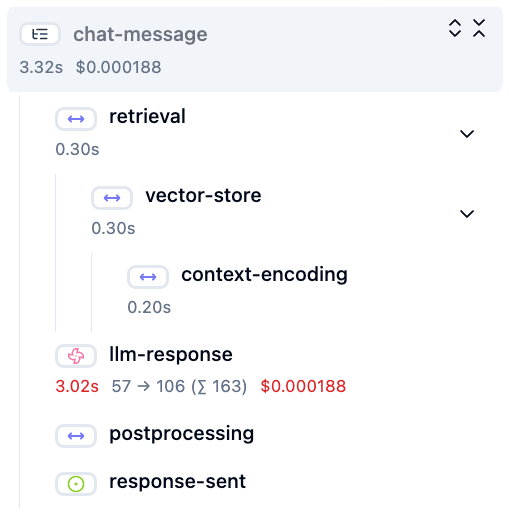
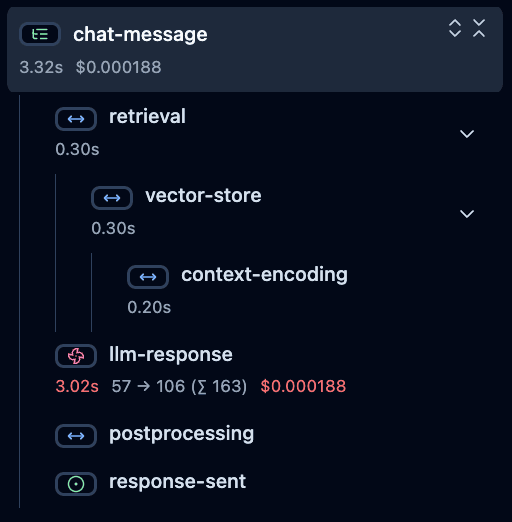
Observations can be nested. The example below shows a trace with a nested observation.
Hierarchical structure of observations in Langfuse
Example trace in Langfuse UI
Traces
A trace typically represents a single request or operation.
For example, when a user asks a question to a chatbot, that interaction, from the user’s question to the bot’s response, is captured as one trace.
It contains the overall input and output of the function, as well as metadata about the request ( i.e. user, session, tags, etc.).
Sessions
Optionally, traces can be grouped into sessions. Sessions are used to group traces that are part of the same user interaction. A common example is a thread in a chat interface.
Optionally, sessions aggregate traces
Example session in Langfuse UI
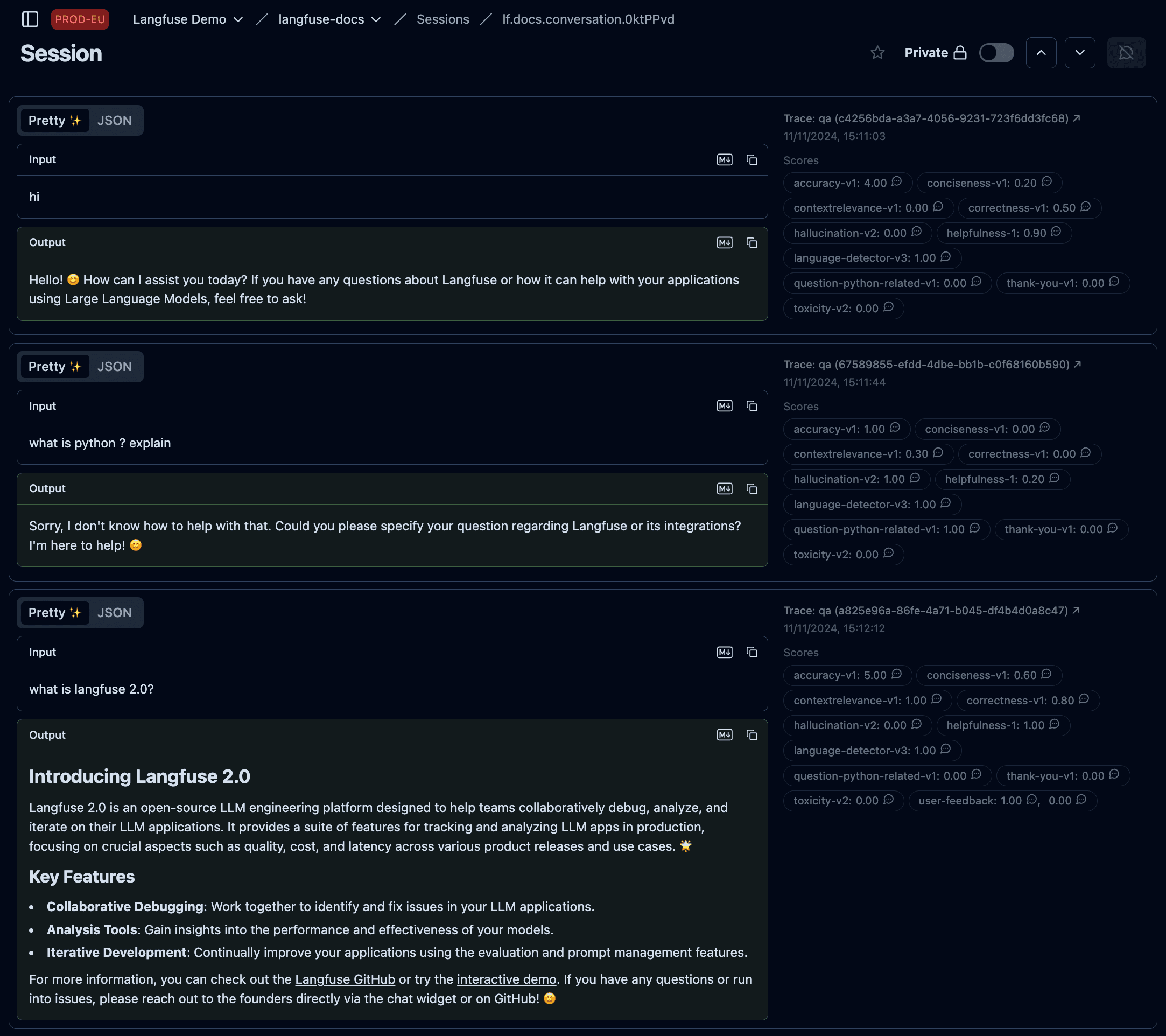
Using sessions is recommended for applications with multi-turn conversations or workflows. Please refer to the Sessions documentation to add sessions to your traces.
Adding Attributes
Once you’ve structured your data into traces and observations, you can enrich them with additional attributes. These attributes act as labels that help you filter, segment, and analyze your traces for specific use cases.
There are different types of attributes you can add:
| Attribute | Description |
|---|---|
| Environments | Separate data from different deployment contexts like production, staging, or development |
| Tags | Flexible labels to categorize traces by feature, API endpoint, or workflow |
| User | Track which end-user triggered each trace |
| Metadata | Flexible key-value store for custom information |
| Releases & Versions | Track application versions and component changes |
Observation-Centric Data Model
The observation-centric data model is available with Python SDK v4+ and JS/TS SDK v5+. Both data models currently coexist, but Langfuse is gradually transitioning to the observation-centric model. See the changelog post for more details.
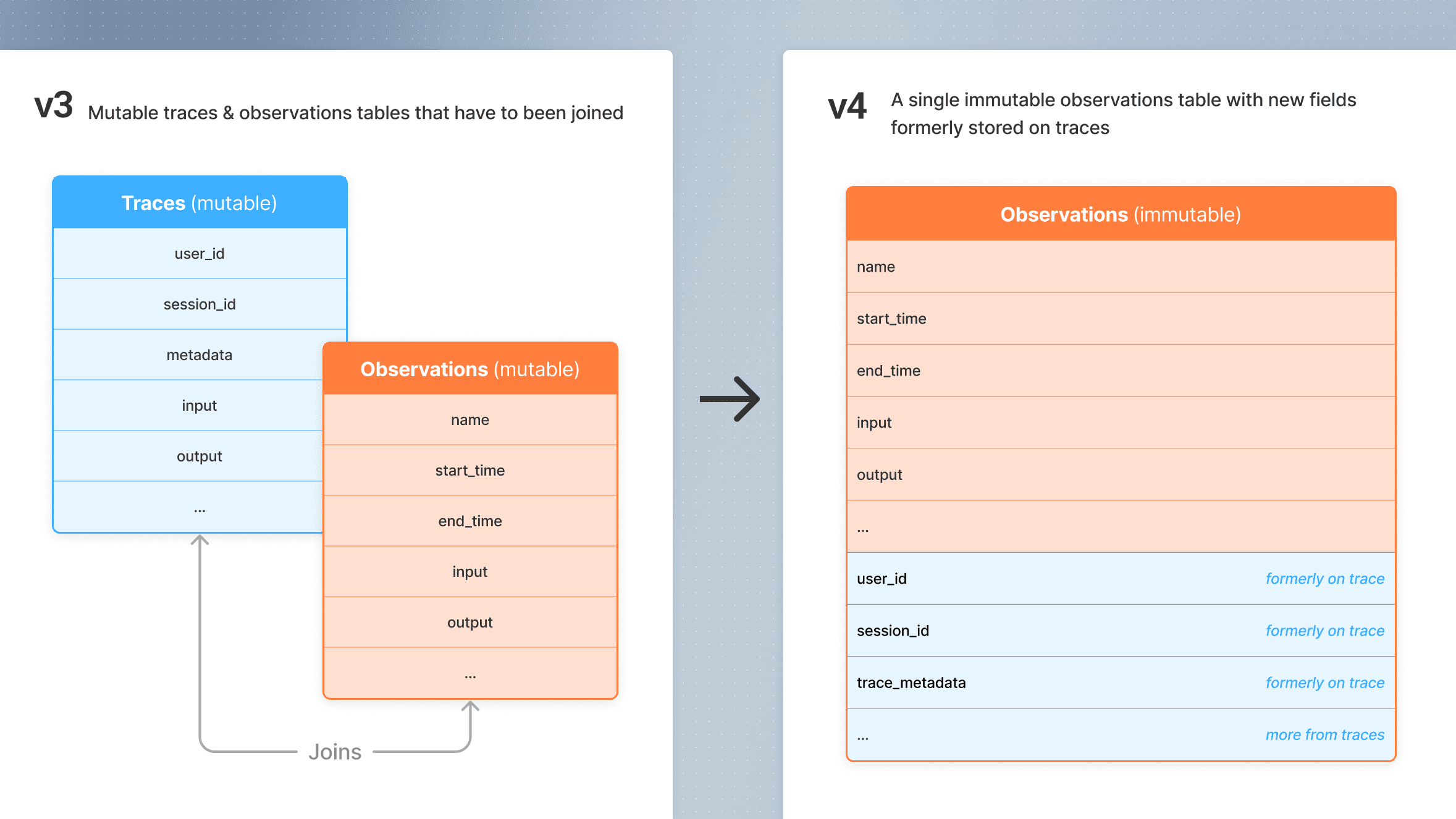
To improve query performance at scale, Langfuse introduces an observation-centric data model as part of Langfuse v4 alongside the existing model. In this model, context attributes (user_id, session_id, metadata, tags) that previously lived only on the trace are propagated to every observation. This eliminates expensive joins between trace and observation tables, enabling single-table queries.
What changes
| Classic model | Observation-centric model | |
|---|---|---|
| Storage | Separate mutable Traces and Observations tables | Single immutable Observations table |
| Context attributes | Stored on the trace, joined at query time | Propagated to every observation at ingestion time |
| Trace input/output | Set directly on the trace | Removed, use observation IO instead. (For legacy LLM-as-a-judge evaluators that depend on trace input and output, users can use the deprecated set_trace_io methods in the SDKs.) |
| Mutability | Traces and observations are mutable | Observations are immutable (written once) |
How to adopt
Upgrade to the latest SDK versions to start ingesting data in the new format:
- Python SDK v4: See migration guide
- JS/TS SDK v5: See migration guide
The key change is that update_current_trace() / updateActiveTrace() is replaced by propagate_attributes(), which automatically flows attributes to all child observations created within its scope.
How Langfuse Captures Data
Now that you understand the data model, let’s explore how Langfuse actually captures and processes your traces.
Built on OpenTelemetry
Langfuse is built on OpenTelemetry, an open standard for collecting telemetry data from applications.
This means you’re not locked into using only Langfuse-specific SDKs. You can also send your traces to multiple destinations at once, like Langfuse for LLM observability and Datadog for infrastructure monitoring.
See the OpenTelemetry integration guide for detailed documentation on integrating OpenTelemetry with Langfuse.
Instrumentation
Instrumentation is the process of adding code to record its behavior. Once this recording is turned on, Langfuse (through OpenTelemetry) can automatically capture these events and structure them into traces and observations.
The Get Started guide walks you through the process of instrumenting a function in your application.
Background Processing
In order to avoid slowing down your application, Langfuse doesn’t send traces synchronously the moment they’re created. Instead, Langfuse batches traces locally and sends them in the background, keeping your application fast and responsive.
Long-running applications
The approach above works well for long-running applications (like web servers or APIs) because the background exporter continuously runs and has plenty of time to flush batches on its own.
Short-lived applications
For applications that start, execute something, and shut down quickly (short-lived applications), there’s a risk that the application terminates while there are still unsent traces in the queue.
To avoid losing data, short-lived applications must explicitly call flush() before exiting. This forces the exporter to send all buffered traces immediately, so nothing is lost when the process terminates.